
-
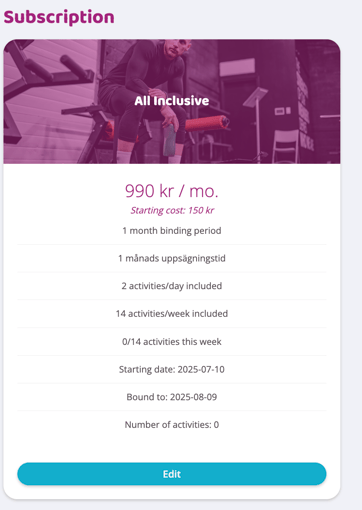
Go to the customer's profile page and scroll down to subscription
-
Click Edit on the subscription
-
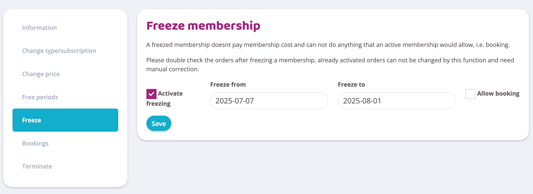
In the menu that becomes visible, proceed to Freeze
-
If the subscription has an active freeze, the Activate freeze check box is checked. To "unfreeze" the subscription, uncheck the activate box
*Don't forget to double-check the profile's upcoming orders so that those that were previously 0 SEK during the freeze period now have an amount
NOTE: If the binding period, next payment date or end date have been postponed due to the freeze, these must be managed and reset manually by you. They will not be reset automatically when the freeze is removed. THIS IS VERY IMPORTANT.
Related article
Last edited: 10/7-2025