
- Go to Users in the main menu.
- Search for the customer in the list.
- Press the eye located on the far right side of the user row.
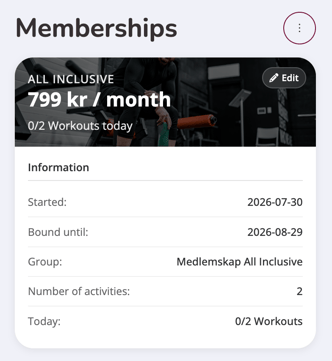
- Scroll to the bottom of the user's profile page. Tap Edit on the subscription.
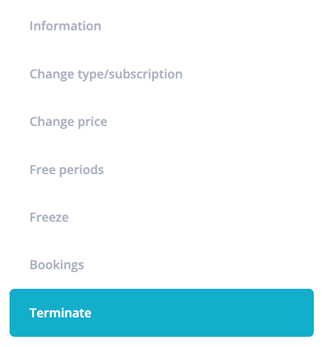
- Click the Terminate option.
Terminate now
Cancel the subscription immediately by pressing the "Terminate right now" button. Used, for example, if a subscription has been added incorrectly and should be removed immediately.
Terminate later
Terminate the membership on a future date
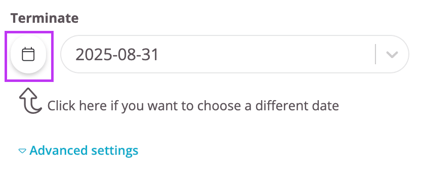
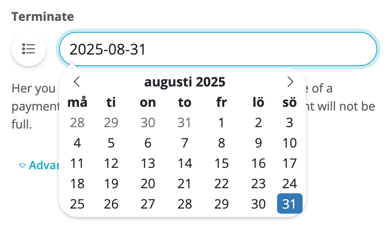
- Place the cursor in the field labeled Terminate . To select a future date, click the calendar icon as indicated by the arrow below.
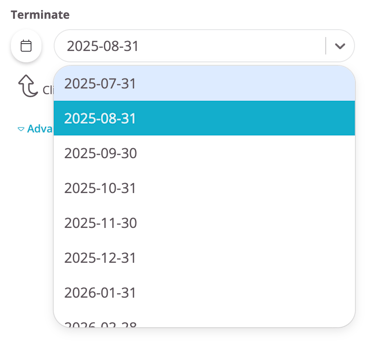
- After you have clicked on the calendar icon, you can click on the field with the date again and a calendar will appear where you can freely choose any date.
- Leave the paid period checkbox checked and the system will automatically adjust the payment to match the breeding date you select. If the box is unchecked, the payment period will not be affected by the new termination.
- Then tap the "Terminate at above chosen date" button to schedule the shutdown.
- Include a reason for terminating the subscription by selecting "Reason". The reason selected will then be found in the "Terminated subscriptions" report.
NOTE: This does not need to be specified and is completely optional.
Last updated: 6/8-2026