
Intro
Read the Create a new subscription guide for instructions on how to create a subscription from scratch. This guide only goes over how time limits work.
A time limit means that the subscription is valid between certain times of the day, at other times the user is not entitled to book an activity. In the example below, a subscription is created that is only valid in the mornings.
Step by step
-
Go to Settings > Customers > Subscription Types to create a new subscription.
-
To create a new subscription, click Add (the plus sign).
-
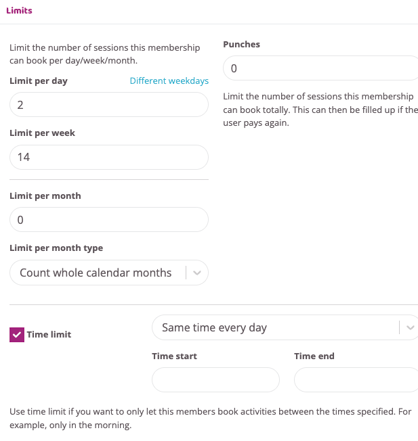
Go to the box related to subscription limits.
-
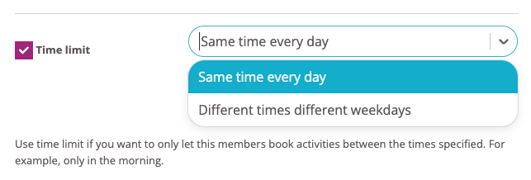
Choose whether the subscription time limit should be the same every day or different times for different days.
If Same times every day is selected, a Start time and an End time are specified, for example: Start time 9.30 and End time 11.30.
Tip! You can also choose different times for different days. If one day is left without a time they cannot book anything that day.
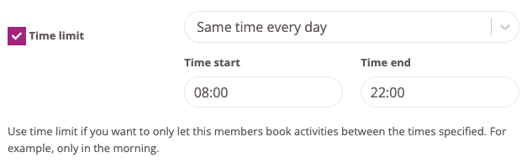
The time limit in the example above means that users with this subscription can only book activities between 9:30 a.m. and 11:30 a.m. They will receive an error message if they try to book any other time.
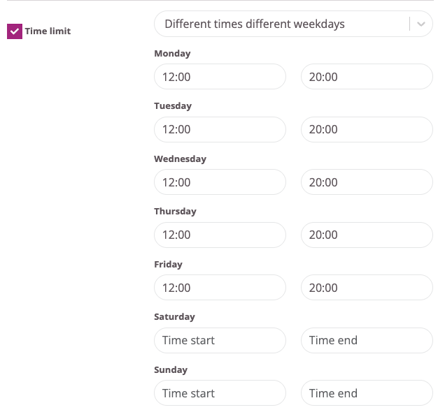
Different times different days of the week
This means that different time restrictions can be selected for each individual day of the week. In the example below, the user can only train between 12:00 - 20:00 on Monday - Wednesday and 12:00-18:00 on Thursdays and Fridays.
Please note that on days left blank, users with this subscription will not be able to book at all.
Press "Create subscription" when all settings are correct.
Last updated: 9/7-2025