
-
Go to Users in the main menu.
-
Search for the user in list by filling in the name in the Search field and then tapping the eye of the current customer.
-
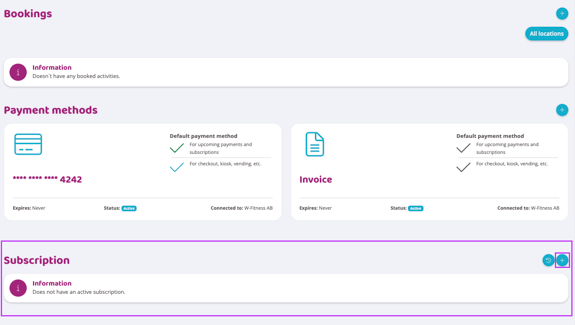
Scroll down to the section regarding subscription.
-
Tap Add (the plus sign).
-
Select the subscription group the subscription is in (if there are multiple). A list of all subscriptions from the selected group will then appear.
-
By pressing the Customize button, the subscription can be customized specifically for the user. Please read the guide Customize a subscription.
-
By pressing the Select button, subscription will start immediately and without any customizations.
Last edited: 9/7-2025