
-
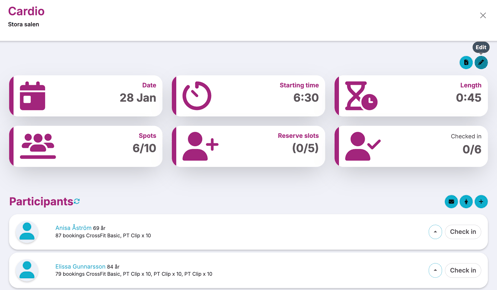
To cancel an activity, go to the schedule and click on the activity
-
Then click "Edit" (the pencil)
-
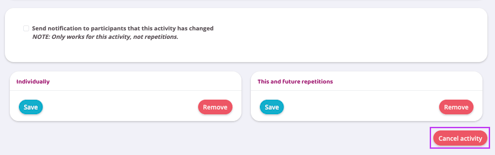
Scroll down a little further in the image and press the "Cancel activity" button
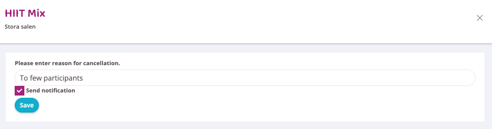
- Fill in the reason for the cancelled session and then press the Save button. Leave the "Send notification to booked" box checked and all participants will receive a notification that the activity is cancelled
-
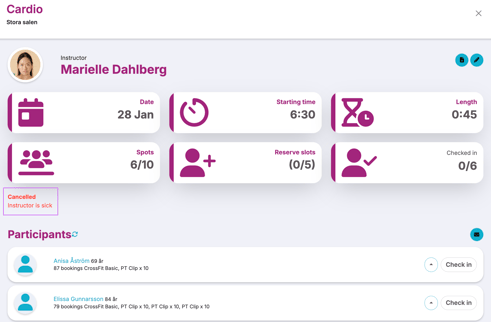
There is now a note stating that the activity is canceled and no one can book it
Last edited: 9/7-2025