
-
Start by adding the current item to the checkout screen by clicking the
Addbutton. -
Add the products to be purchased and then click
Queue payment. -
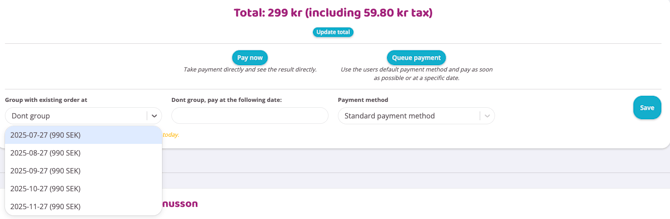
In the drop-down list
Group payment with existing dateselect the next upcoming draw. -
Then press the
Savebutton. -
The item the customer purchased at checkout will now be deducted along with the subscription payment. Payments can be queued any number of times during the month.
Last edited: 31/7-2025