
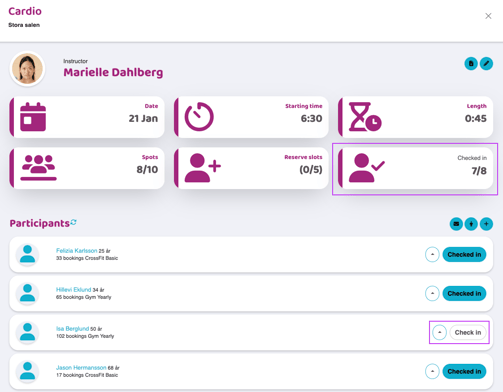
The easiest way to check this is to go to the activity in the schedule and look at the “Checked in” box at the top in the summary. That gives you a quick overview right away.
You can also see the check-in status for each individual participant in the participant list. If it says “Checked in” and the button is filled in, the participant is checked in. If it still says “Check in” and the button is outlined, they haven’t checked in yet.
In the example below, Isa Berglund has not checked in.
Last updated: 21/1-2026