
To find all profiles who do not have an entered payment method, go to the All users report.
1. Go to Reports in the main menu.
2. Select the All Users report.
3. The report contains information about all users in Wondr. The list is similar to the user list, but in this report you can also download all the information as an Excel file.
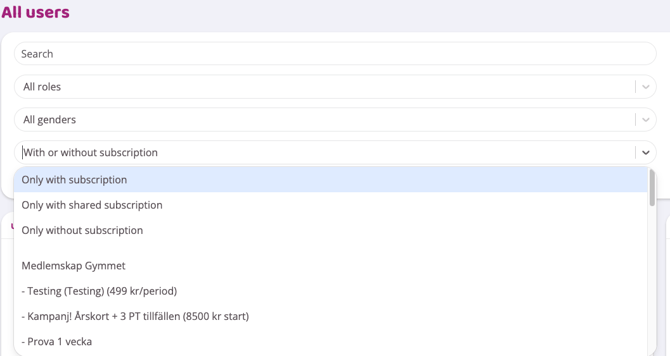
It is possible to first filter out users who have a membership by going to the drop-down list and selecting Only with subscription.
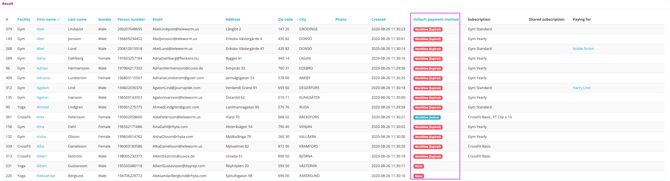
4. Go to the Default payment method column
5. Press Default payment method and all users without a payment method will be at the top of the list.
From this list, you can access users where no payment method is registered.
Click the Download (Excel) button to download the data as an Excel file.
Last edited: 2/8-2025