
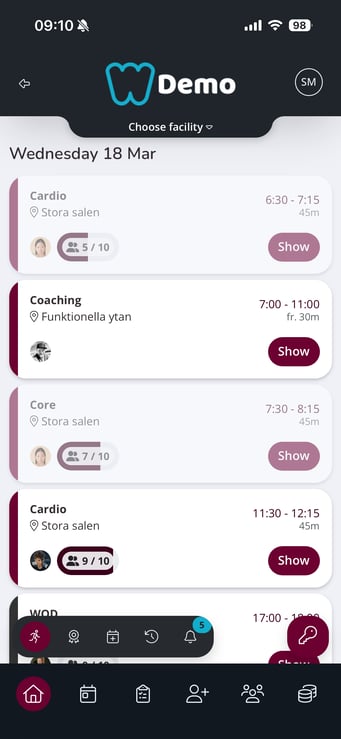
- From the app's home page, click on "Schedule"
- Search for the current activity
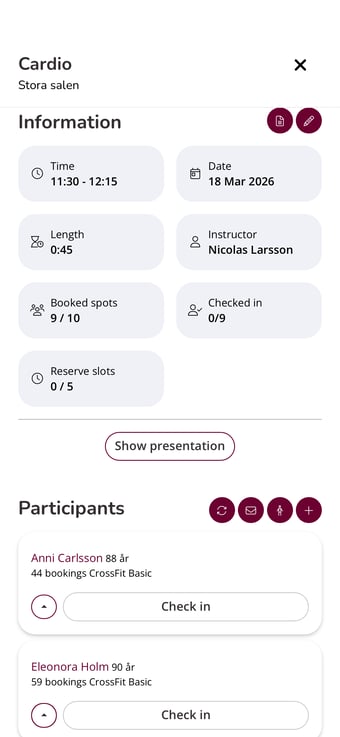
- Click on "Show presentation"
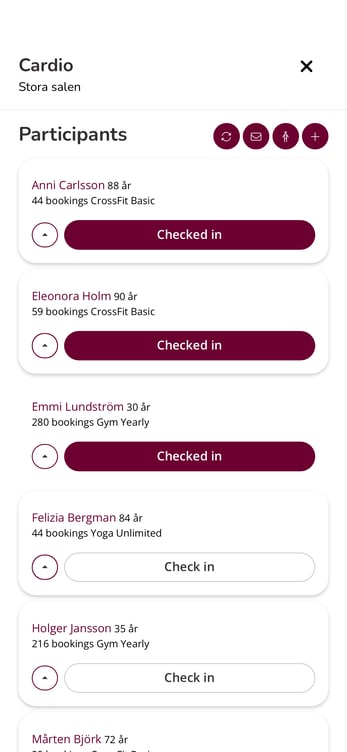
- Scroll down to the participant list and check them in by clicking the "Check in" button. When it is filled in, the participant is checked in.
You can always click the check mark again to withdraw the check-in if necessary.
Last edited: 18/3-2026