
Table of contents:
1. Introduction
2. Settings
3. Security
4. Cookie consent
5. Pages to track
Introduction
Wondr can track simpler things like website/campaign visits and conversions. If you want to track further, you can connect Wondr to both Google Analytics and Facebook pixels.
Go to Settings > Analytics
The following information is only applicable if you are using Wondr MarketingHub to create your website and campaigns. Wondr does not track external websites and campaigns.
We at Wondr do not offer support in SEO and analytics settings beyond what is available on this page.
Settings
Analytics settings
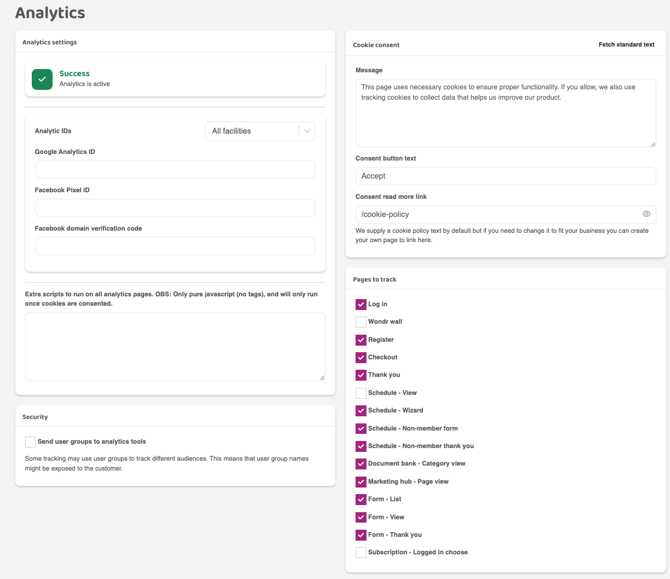
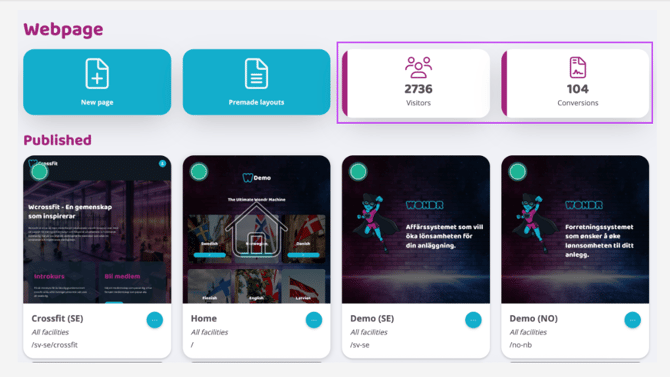
Check this box to have Wondr start tracking visits and conversions for your website and activated campaigns. Only when this is activated will Wondr start tracking visitor and conversion statistics, which will look like the image below.
Google Analytics ID
Paste your Google Analytics ID to start sending information to Google Analytics and working with the data there.
Facebook Pixel ID
Paste your Facebook pixel ID to start sending information to Meta and working with the data there.
Facebook - domain verification code
Sometimes Meta requires you to verify a new connection and will then give you a verification code. Paste that code here
(NOTE! If you do not receive a verification code from Meta, you do not need to fill in anything here).
Extra scripts to run on all analytics pages. NOTE: Only pure javascript (no tags), and will only run once cookies are consented.
If you want to add your own script for tracking, do so here. Then all data from websites and campaigns will be tracked in the same way. You can also choose not to control so broadly and instead place extra scripts in the head and body for each subpage/campaign.
Security
Send user groups to analytics tools
Check this box to send user groups to Google analytics/Meta. Keep in mind that the names used in Wondr are the names that are sent over.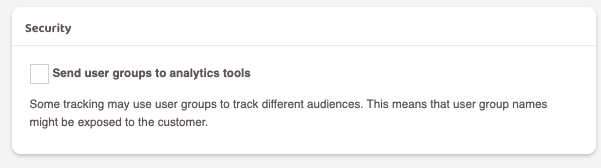
Cookie consent
Message
There is a default text that appears in the field where visitors accept cookies. Change that text here if desired.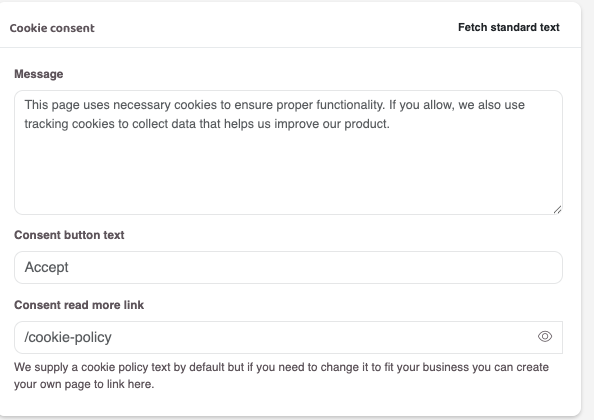
Consent button text
Change button text to accept cookies.
Read more link for consent
Here you can change which page visitors who want to read more about cookies should end up on. We provide a cookie policy as standard, but if you need to change it to suit your business, you can create your own page to link to instead.
Pages to track
Which pages in Wondr are tracked and counted as a visit or a conversion are determined here. We recommend the default settings, but you can change them if you want to track which views are tracked. Read more about what each checkbox means below and which ones generate a visit vs. a conversion: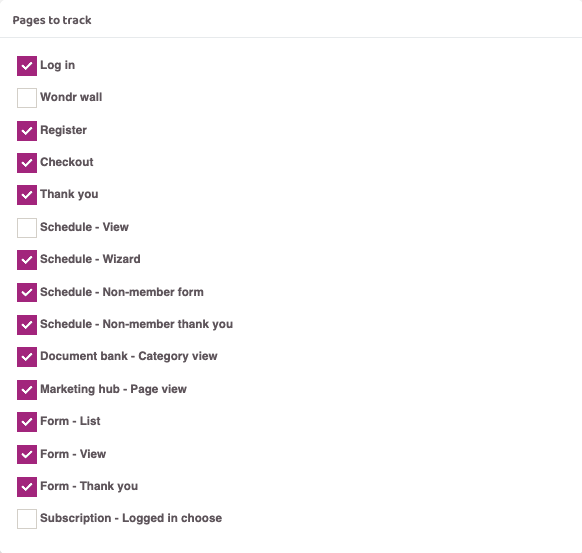
Log in
A customer logging into Wondr counts as a visit.
Wondr wall
A customer's presence on their Wondr-Wall counts as a visit.
Registration
A visitor clicking the purchase button for a membership counts as a visit.
Cash
A visitor being at the checkout is counted as a visit.
Thanks
A visitor reaching the thank you page after making a purchase is counted as a conversion.
Schedule - View
A customer booking an activity via the schedule counts as a visit.
Schedule - Wizard
A customer booking an activity via a wizard counts as a visit.
Schedule - Non-member
A visitor/non-member booking an activity via the schedule counts as a visit.
Schedule - Non-member form
The fact that a visitor/non-member has booked an activity via the schedule and ended up on the thank you page for payment is counted as a conversion.
Document bank - Category view
The fact that a visitor was in the document bank's category view is counted as a visit.
Marketing Hub - Page View
If a visitor has been on a page is counted as a visit.
Form - List
A visitor being in the form list view counts as a visit.
Form - View
A visitor choosing to view and read more about a form counts as a visit.
Form - Thank you
A visitor signing up for a form and landing on the thank you page after payment is counted as a conversion.
Subscription - Logged in choose
A customer logging into their profile and purchasing a new Subscription is counted as a visit.
Last edited: 2/6-2025